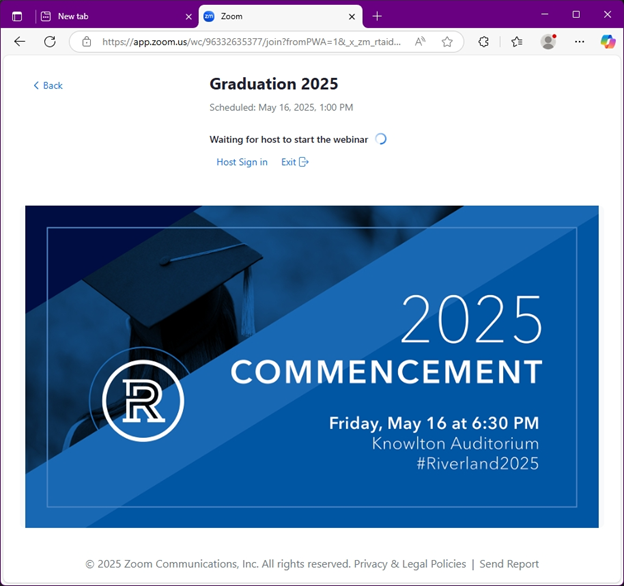
No Zoom? No Problem! How to Watch the Graduation Online
How to Watch the Graduation on Zoom (Without Downloading)
Follow these simple steps to join the ceremony right in your browser.
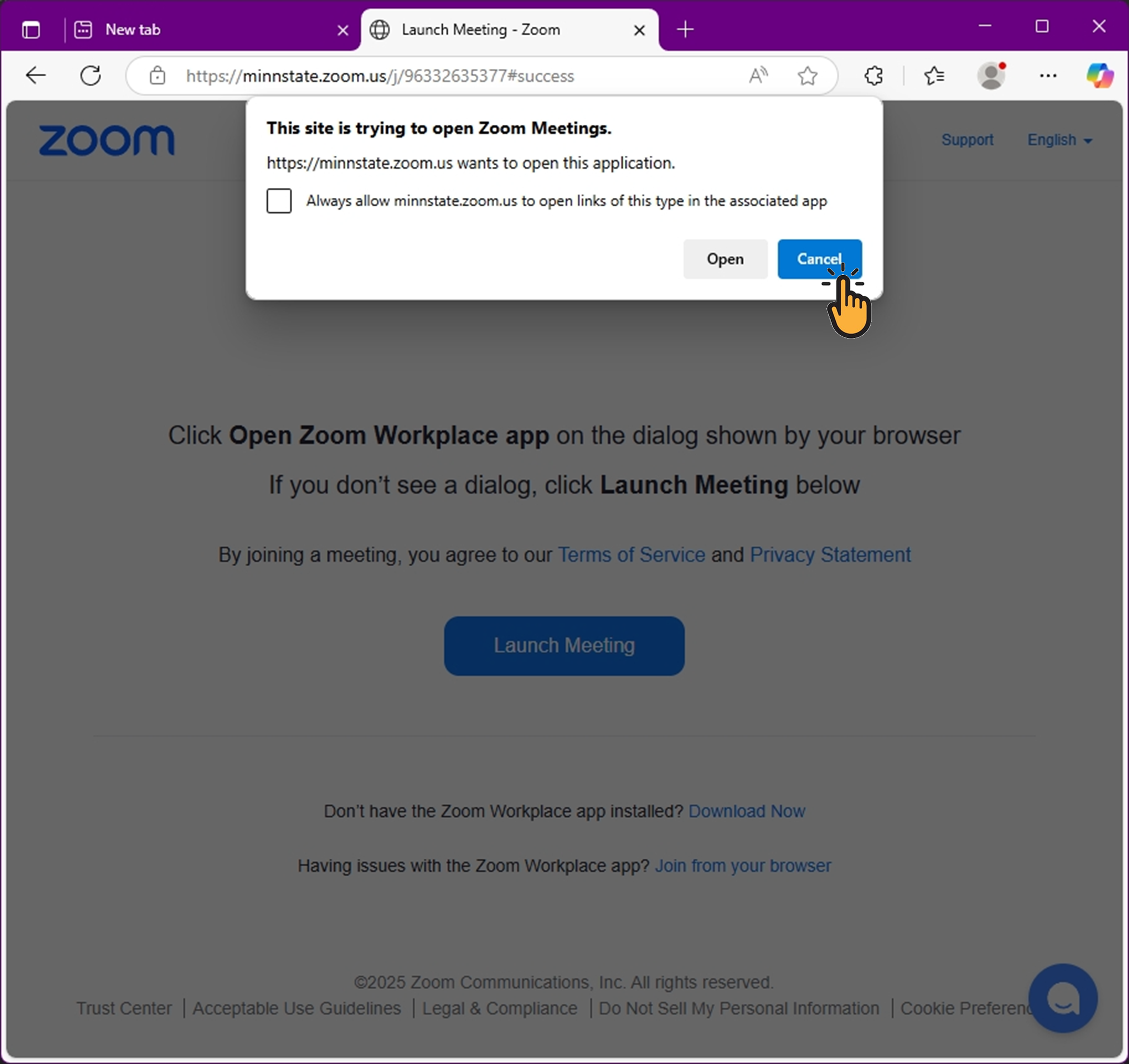
Step 1: Click the link and cancel the pop-up
When you click the Zoom link, a pop-up might appear asking you to open Zoom. Click Cancel.
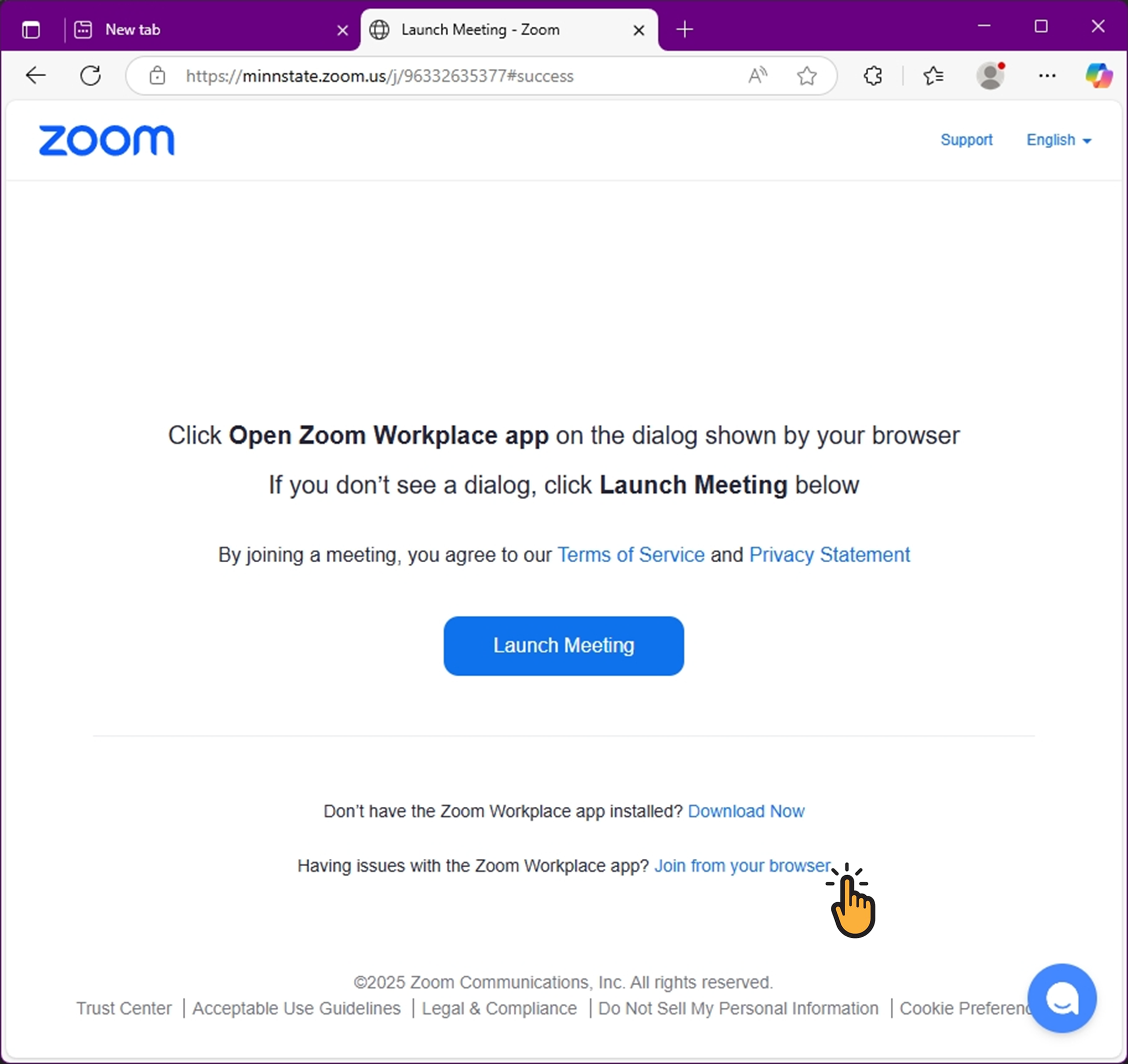
Step 2: Click "Join from your browser"
Below the blue Launch Meeting button, click on Join from your browser.
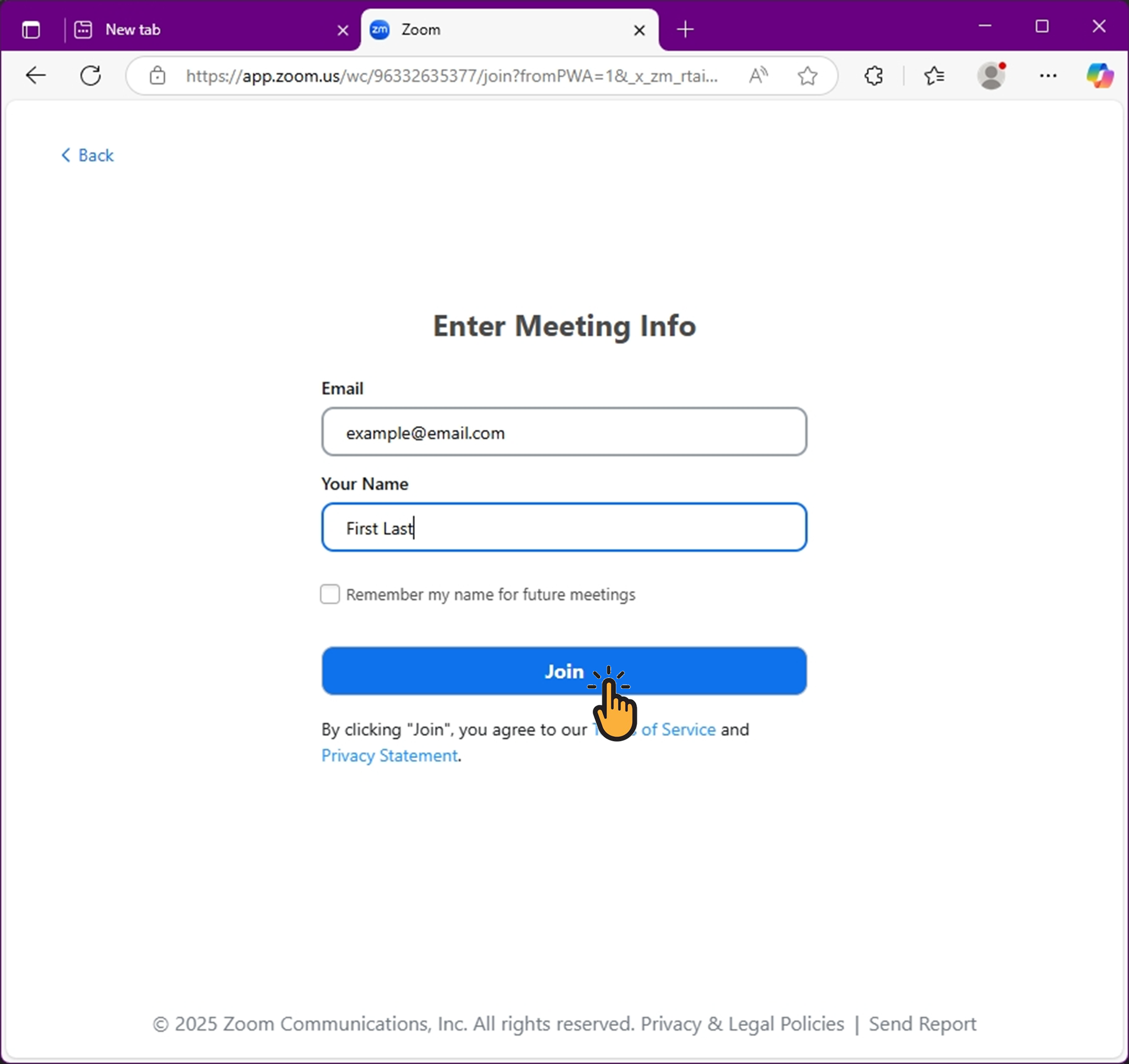
Step 3: Enter your name and email
Type your name and email address, then click the Join button.
Step 4: You're ready to watch!
You are now in the waiting room and ready to enjoy the ceremony as soon as it starts.